
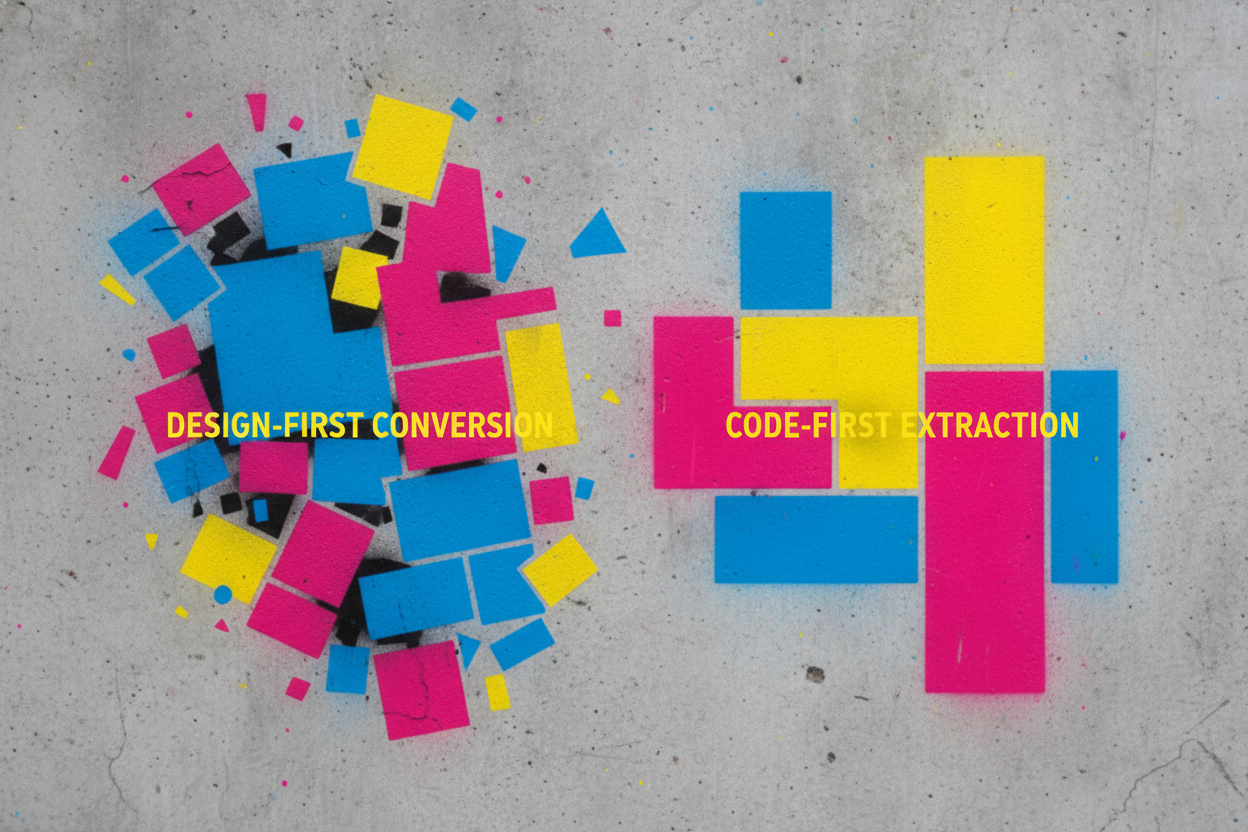
DivMagic and Element Armory both let you capture UI from websites, but they're built for different workflows. DivMagic is a design-first tool that excels at quick visual copying and Tailwind output for designers and generalists. Element Armory is code-first, optimized for developers who need clean, reusable HTML and CSS that integrates seamlessly with AI coding tools like Cursor and Claude. If you're a developer working with AI assistants and need production-ready code, Element Armory's approach wins. If you're a designer or need Tailwind classes quickly, DivMagic remains solid-but it has real limitations for serious development workflows.
DivMagic vs Element Armory: Quick Comparison
DivMagic is trusted by over 10,000 users and focuses on speed: hover, copy, paste. It outputs HTML, CSS, or Tailwind in one click. The appeal is simplicity-especially for designers and non-developers who want fast visual iteration.
Element Armory takes a different path. Instead of optimizing for Tailwind output, it prioritizes clean, semantic HTML paired with computed CSS. The design is deliberate: developers using AI tools need code that's actually reusable, not design-focused shortcuts.
The core difference isn't features-it's philosophy.
DivMagic asks: "How do I copy this design fastest?"
Element Armory asks: "How do I capture this code so I can rebuild it, modify it, and use it with AI?"
For designers building prototypes or testing layouts, DivMagic's Tailwind-first approach is faster. For developers building production components or feeding code into Cursor and Claude, Element Armory's HTML-and-CSS-together model is cleaner and more practical.
The real test: take a complex navbar from a live site. DivMagic will give you Tailwind classes. Element Armory will give you the actual HTML structure plus the computed styles that made it work. One is faster for design. One is better for code.
See the full comparison between DivMagic and Element Armory to understand which tool fits your actual workflow.
What DivMagic Does Well (and Who It's For)
DivMagic is a solid tool for a specific use case: designers and generalists who need to grab UI quickly and convert it to Tailwind. DivMagic costs $9/month and it does one job well-it captures elements and outputs Tailwind classes fast.
If you're a designer building mockups or a non-developer who needs to prototype quickly, DivMagic works. You click an element, it extracts styles, and you get Tailwind output. No friction. No learning curve.
The tool shines when:
- You're working in Figma or a design tool and need reference code
- You want Tailwind classes specifically
- You're not concerned with the underlying HTML structure
- Speed matters more than code quality
DivMagic's strength is design-first extraction. It prioritizes visual output over structural accuracy. That's intentional. It's built for people who think in design tokens and utility classes, not DOM trees.
Where the Mismatch Happens
The problem emerges when developers use it. DivMagic gives you Tailwind classes, but it doesn't give you the actual HTML. You get the styling layer without the semantic structure. That works for small tweaks. It breaks down when you need a reusable component.
And if you're using AI tools like Cursor or Claude for coding, Tailwind-only output creates friction. AI models work better with complete HTML plus computed styles-not utility class guesses. DivMagic wasn't built for AI-assisted workflows, and that gap matters more every month as developers shift toward AI-paired coding.
DivMagic has strong alternatives, especially for developers who need clean, complete code extraction instead of design-focused output.
Where DivMagic Falls Short for Developers
DivMagic is genuinely useful for designers and non-technical users who need quick visual exports. DivMagic has strong alternatives, especially for developers who need clean, complete code extraction instead of design-focused output.
The core issue: DivMagic prioritizes design convenience over code quality.
When you extract an element with DivMagic, you get HTML and CSS, but the output often includes unnecessary wrapper divs, redundant styles, and bloated selectors. For developers building production components or feeding code into AI tools like Cursor, this creates friction. You're not getting clean, reusable code-you're getting a screenshot in code form.
DivMagic advertises Tailwind conversion, but this feature has real limitations. The tool generates Tailwind classes based on computed styles, which often results in overly specific or incorrect class combinations. Developers report having to manually rewrite Tailwind output, defeating the purpose of automation.
Another gap: DivMagic doesn't integrate well with AI-assisted workflows. When you're using Claude or Cursor to build components, you need code that's already clean and structured. Passing messy DivMagic output to an AI tool means the AI has to clean it up first, adding an extra step to your workflow.
Pricing also matters. DivMagic costs $9/month for component extraction and Tailwind conversion. For developers who extract UI frequently or work with AI tools daily, that cost adds up-especially when Element Armory offers a code-first alternative that produces cleaner output without the design-first overhead.
The real question isn't whether DivMagic works. It does. The question is whether it's optimized for your workflow. For designers and generalists, yes. For developers building production code with AI assistance, the answer is usually no.
Element Armory's Approach: Code-First, Not Design-First
Element Armory starts from a different premise: developers don't need design tools. They need clean, production-ready code.
Where DivMagic optimizes for visual designers and generalists, Element Armory is built around developer workflows. The difference shows up immediately in what gets captured and how it's structured.
HTML and CSS Extraction: The Real Difference
DivMagic captures elements, but the output is often design-focused. You get visual fidelity, but the code carries overhead-extra classes, design system references, or Tailwind interpretations that don't match your project's actual needs.
Element Armory captures the computed styles and HTML structure as they actually exist. No interpretation layer. No design-first assumptions. Just the code that works, ready to paste into your editor or feed directly into Claude or Cursor.
This matters because clean code extraction is the foundation of reusable components. When you're working with AI tools, messy or over-interpreted code creates friction. The AI has to clean it up, or you end up with components that don't integrate smoothly into your codebase.
Why Code Quality Compounds
A single extracted component might seem fine either way. But when you're building a library of 50+ captured UI patterns, code quality becomes the difference between a useful resource and technical debt.
Element Armory's code-first approach means:
- Styles are captured as written, not reinterpreted
- HTML structure stays intact without design-system wrapping
- Output works immediately in AI coding workflows
- Components stack cleanly without conflicts
This is why developers switching from design-first tools often report faster iteration cycles. Less cleanup. More building.
The trade-off is real: if you need pixel-perfect visual matching or design system integration, DivMagic's design-focused approach might serve you better. But if you're writing production code-especially with AI assistance-code-first wins.
HTML and CSS Extraction: The Real Difference
This is where the two tools diverge most sharply.
DivMagic captures visual design. It extracts what you see and converts it into code-usually Tailwind or React JSX. The output is design-accurate, which is great if you're matching a mockup pixel-for-pixel. But here's the catch: it's optimized for visual fidelity, not code cleanliness.
Element Armory captures structure and style together. It extracts the actual HTML and computed CSS from the live element, then delivers both as production-ready code. No conversion layer. No design-to-code translation. Just the code that's already there, cleaned up and ready to use.
Why does this matter?
When you extract with DivMagic, you get Tailwind classes or JSX that represents the design. When you extract with Element Armory, you get the HTML and CSS that is the design. One is interpreted. One is direct.
For AI workflows, this distinction is critical. Tools like Cursor and Claude understand raw HTML and CSS immediately. They can modify it, extend it, and integrate it without translation overhead. With DivMagic's converted output, your AI tool has to parse Tailwind syntax or JSX structure first-adding a cognitive step that slows iteration and breaks ai-assisted workflows.
The real difference: DivMagic is a design-to-code converter. Element Armory is a code extractor. One transforms. One captures.
For developers building production features, especially with AI assistance, capture beats conversion every time. You get cleaner code, faster AI integration, and zero translation errors.
AI Workflow Integration: Why It Matters
When you're working with Cursor or Claude, code quality isn't optional-it's the difference between a smooth workflow and constant friction.
DivMagic outputs code that needs cleanup. Tailwind classes that don't match your project. JSX that requires refactoring. Every extracted element becomes a task: inspect it, fix it, adapt it. That overhead compounds fast when you're iterating with AI.
Element Armory captures what's already there. Clean HTML. Computed CSS. No conversion layer. No translation errors. When you paste captured code into Claude or Cursor, it works immediately. The AI understands the structure. You can ask it to modify, extend, or integrate without first explaining what the code actually is.
Why This Matters for AI-Assisted Development
AI tools are pattern-matching engines. They work best with clear, unambiguous input. When you feed them converted or transformed code, you're adding noise. The AI has to reverse-engineer what the original intent was before it can help you.
With captured code, the AI sees exactly what exists on the live site. It can reason about the structure, suggest improvements, and generate variations without guessing.
This is why developers using AI coding workflows are switching. Not because DivMagic is bad-it's just built for a different workflow. It's built for designers who want to convert designs into code. Developers need to extract code that's already working and use it as a foundation.
The speed difference is real. Capture, paste, iterate. No cleanup. No refactoring. Just code that works.
Code Quality and Reusability: Side-by-Side
This is where the tools diverge most sharply.
DivMagic extracts styles as Tailwind classes. That's fast for designers prototyping, but it creates a problem: Tailwind output is opinionated. It locks you into a specific utility framework. If your project doesn't use Tailwind, or if you need custom CSS, you're refactoring anyway. And if Tailwind doesn't have a class for what you captured, DivMagic fills gaps with inline styles-messy, hard to maintain.
Element Armory captures raw HTML and computed CSS. No framework assumptions. No utility class conversion. Just the code that's actually running on the website, cleaned up and ready to use.
Here's the practical difference:
DivMagic output:
<div class="flex items-center justify-between px-4 py-2 bg-white rounded-lg shadow-md">
  <!-- Tailwind classes -->
</div>
Element Armory output:
<div style="display: flex; align-items: center; justify-content: space-between; padding: 1rem; background: white; border-radius: 0.5rem; box-shadow: 0 4px 6px rgba(0,0,0,0.1);">
  <!-- Clean, portable CSS -->
</div>
The second one works everywhere. No framework dependency. No conversion layer. Paste it into any project-React, Vue, plain HTML, AI-generated code-and it works immediately.
For AI coding workflows, this matters enormously. When you're feeding code into Cursor or Claude, you want clean, self-contained HTML and CSS. Framework-specific utility classes confuse the model. Raw CSS doesn't.
Reusability compounds over time. Build a library of extracted components, and you want code that's portable, not locked into Tailwind syntax. Element Armory's approach scales. DivMagic's doesn't-not for developers working across multiple projects and frameworks.
Pricing and Feature Comparison
DivMagic costs $9/month for its core feature set divmagic pricing. For that price, you get component extraction and Tailwind CSS conversion. Element Armory operates on a different model: free core extraction with optional premium features for advanced workflows.
The real difference isn't the price tag-it's what you actually get for it.
Feature Breakdown: What Each Tool Delivers
DivMagic excels at speed. Click an element, get Tailwind classes instantly. If your entire workflow lives in Tailwind and you're designing in the browser, it works.
Element Armory extracts raw HTML and computed CSS. No framework lock-in. No Tailwind dependency. The code is portable across React, Vue, vanilla JavaScript, or static HTML. This matters when you're building a reusable component library or feeding UI into AI tools like Cursor or Claude.
DivMagic's Tailwind output is convenient until it isn't. Minified styles, utility class bloat, and framework assumptions make the code harder to customize and harder for AI models to understand. Element Armory's clean CSS is immediately readable-by humans and by AI.
The Cost of Convenience
DivMagic's $9/month feels cheap until you factor in the hidden costs:
- Time spent debugging Tailwind class conflicts
- Inability to reuse components across non-Tailwind projects
- Friction when working with AI coding assistants
- Code that degrades in quality as your design system grows
Element Armory's free tier eliminates these friction points. You're not paying for convenience; you're paying for portability and AI readiness.
For developers working across multiple projects, frameworks, and AI workflows, Element Armory's approach wins. For designers who live in Tailwind, DivMagic remains a solid choice.
When to Use DivMagic vs Element Armory
The choice comes down to your workflow and what you actually need from captured code.
DivMagic Works Best If You're Design-Focused
DivMagic is trusted by over 10,000 developers, designers, and business owners. It excels when you need quick Tailwind output or are working primarily in design systems where class-based styling is the default. If your team standardizes on Tailwind and you're comfortable with utility-first CSS, DivMagic delivers speed without friction.
It's also solid if you're a generalist who captures UI occasionally and doesn't need production-grade code portability.
Element Armory Wins If You're Code-First
Choose Element Armory if you:
- Work across multiple frameworks (React, Vue, vanilla JS)
- Use AI tools like Cursor or Claude for development
- Need clean, reusable HTML and CSS that works anywhere
- Want code that survives framework changes
- Capture UI regularly and build component libraries
The difference isn't hype. Element Armory captures real UI from any site and delivers clean, organized snippets ready for your editor. You get actual HTML structure plus computed styles, not Tailwind interpretations.
The Real Distinction
DivMagic optimizes for speed and design-system alignment. Element Armory optimizes for code quality and developer workflows.
If Tailwind is your constraint, DivMagic fits. If flexibility and AI integration matter more, Element Armory is the better choice.
Most developers switching from DivMagic cite the same reason: they needed code that worked with their AI coding tools and across projects without framework lock-in. That's where DivMagic's design-first approach falls short.
Migration Path: Switching From DivMagic
If you're using DivMagic today, switching to Element Armory is straightforward-and worth it if code quality and AI integration matter to you.
Why developers make the switch
DivMagic is trusted by over 10,000 developers and designers, but it's optimized for design-first workflows. When you need production-ready HTML and CSS that works across frameworks and integrates cleanly with Cursor or Claude, the limitations become obvious.
The most common friction points:
Tailwind output isn't reliable. DivMagic generates Tailwind classes, but they often require manual cleanup. Element Armory skips the framework lock-in entirely-you get clean HTML and computed CSS that works everywhere.
Design-first, not code-first. DivMagic prioritizes visual fidelity over code reusability. Element Armory captures what developers actually need: semantic HTML and the exact styles that make it work.
No AI workflow optimization. DivMagic is powerful for quick captures, but the output doesn't integrate naturally with AI coding tools. Element Armory is built for that workflow from the ground up.
The actual migration
- Install Element Armory alongside DivMagic (no conflict).
- Capture the same elements you'd normally grab with DivMagic.
- Compare the code quality-you'll notice the difference immediately.
- Start using Element Armory for new projects; keep DivMagic for design reference if needed.
Most developers report they stop using DivMagic within a week.
For a detailed breakdown, see Element Armory vs DivMagic: Why developers choose code-first extraction and why DivMagic falls short for AI coding workflows.